How to manage billing data (address, VAT…)
October 19, 2026
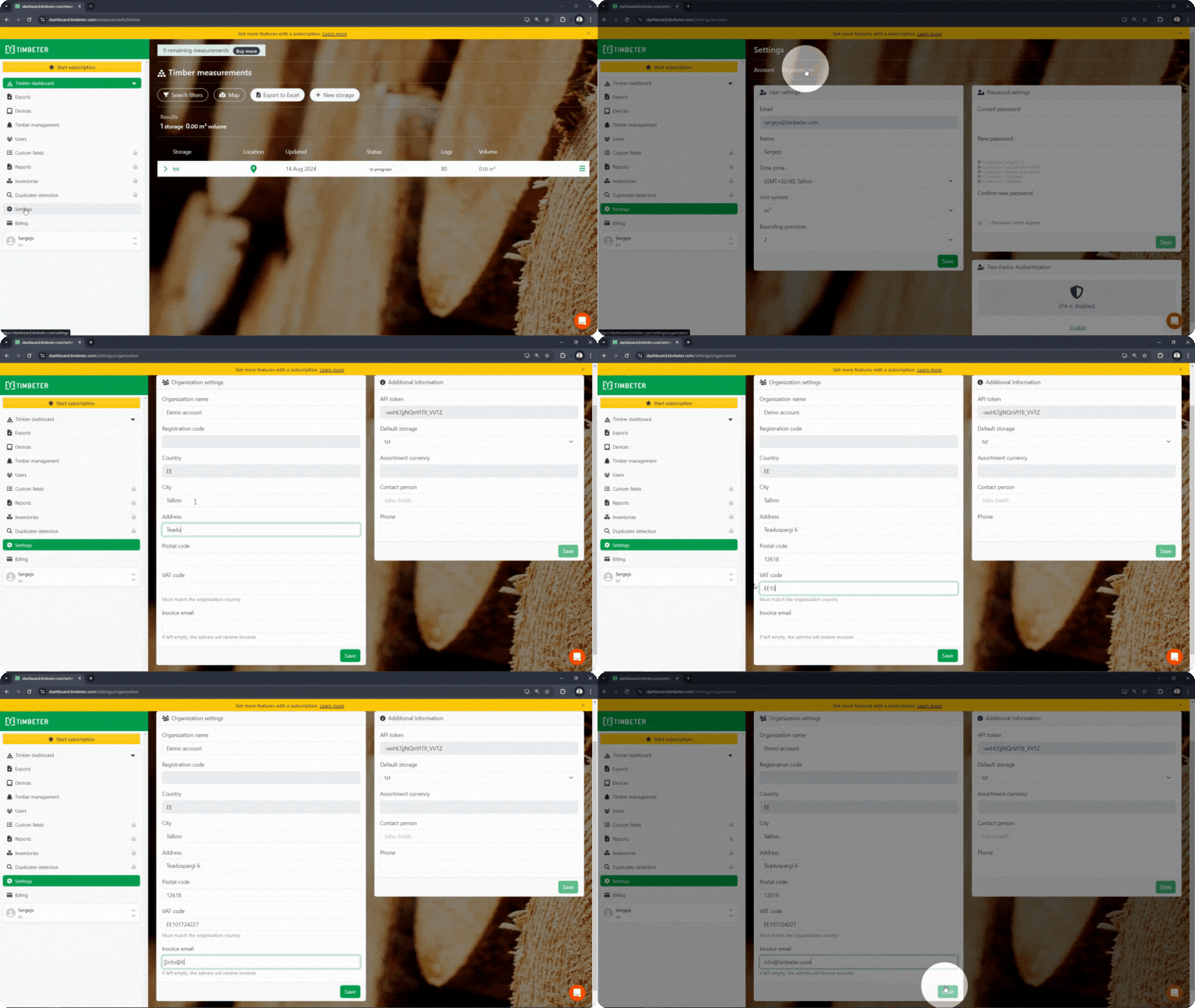
- Log in to your account with your existing username and password.
- Once logged in, go to the main menu in the left side and click on “Settings”
- In the to menu select “Organization”
- Fill all necessary fields and click “Save”